

AWS EKS has been supporting Linux containers for a while. However, without Windows container support some of the hybrid applications were not supported end to end. In addition, with the version of 1.14 of Kubernetes, AWS introduced Windows container support and with this feature, you would be able to run Linux and Windows containers in the same Kubernetes cluster namespaces thus enabling your hybrid applications to work on Kubernetes.
AWS provides a command-line tool called ‘eksctl’ to create and manage EKS clusters. Windows container support can be added to existing EKS clusters created with eksctl.
Following is the procedure to create an EKS cluster (1.14 is the version available currently) on AWS with Windows 2019 Node support using CloudHedge Cruize.
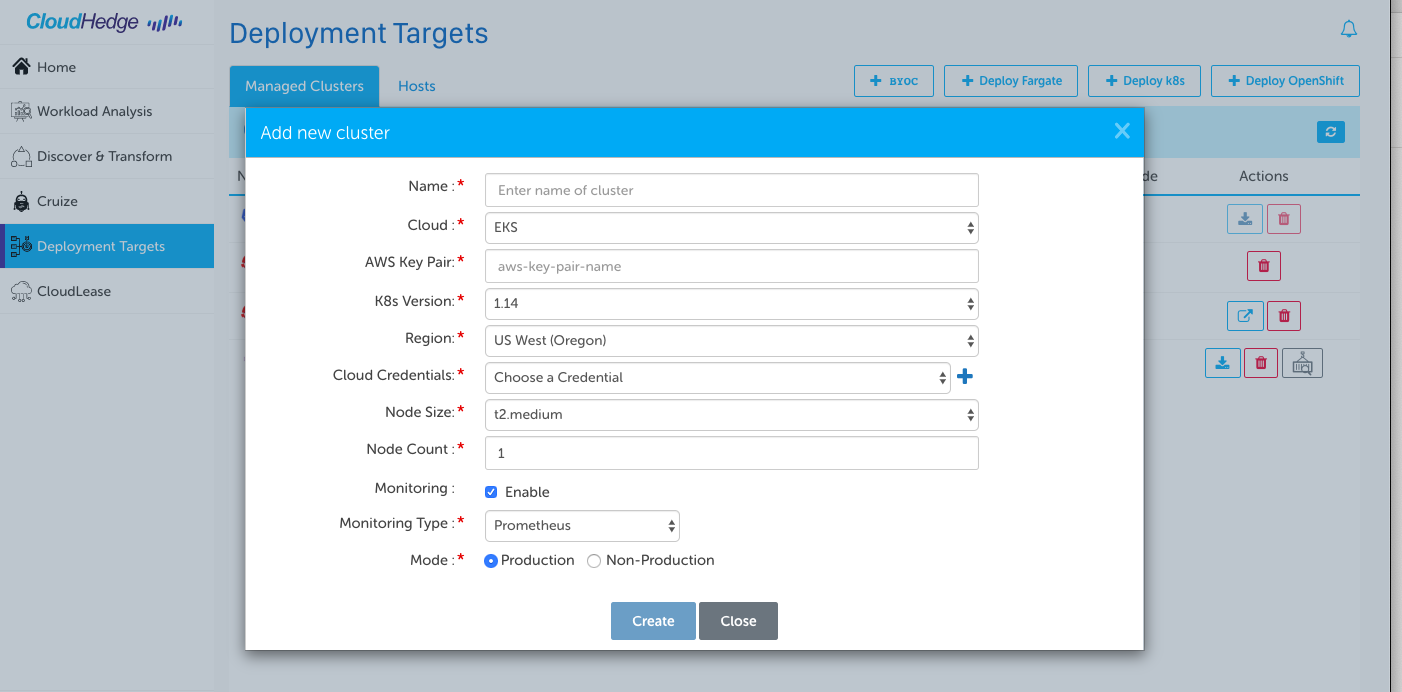
- Using AWS CLI ensure you are logged in to AWS with the right permissions to create EKS cluster. Select the appropriate region as the default.
- Download the right version of eksctl from AWS site – https://docs.aws.amazon.com/
eks/latest/userguide/getting- . 0.13.0 is the current and stable one.started-eksctl.html - To add a Windows node to the EKS cluster run the following commands:
- Enable Windows VPC controller:
eksctl utils install-vpc-controllers --name=${clustername}  –approve
eksctl create nodegroup --cluster==${clustername} --node-ami-family=WindowsServer2019FullContainer
- That’s it. The cluster will be ready with Windows Node support.
And that’s exactly how you create an EKS Cluster with Windows 2019 Container Support using CloudHedge Cruize. However, do let me know in the comments section if you have an efficient way of creating EKS Clusters this effortlessly.